- Family tree
- Photos and dates
- Print and import
Free family tree maker with photos, dates and printing
This free family tree maker opens with the Hollis family, four generations drawn as a family tree. Select a person to add parents, a partner, a child or a sibling, upload a photo for each person and print the tree on one sheet or across several. You can make a family tree for free without an account, and it stays in this browser.
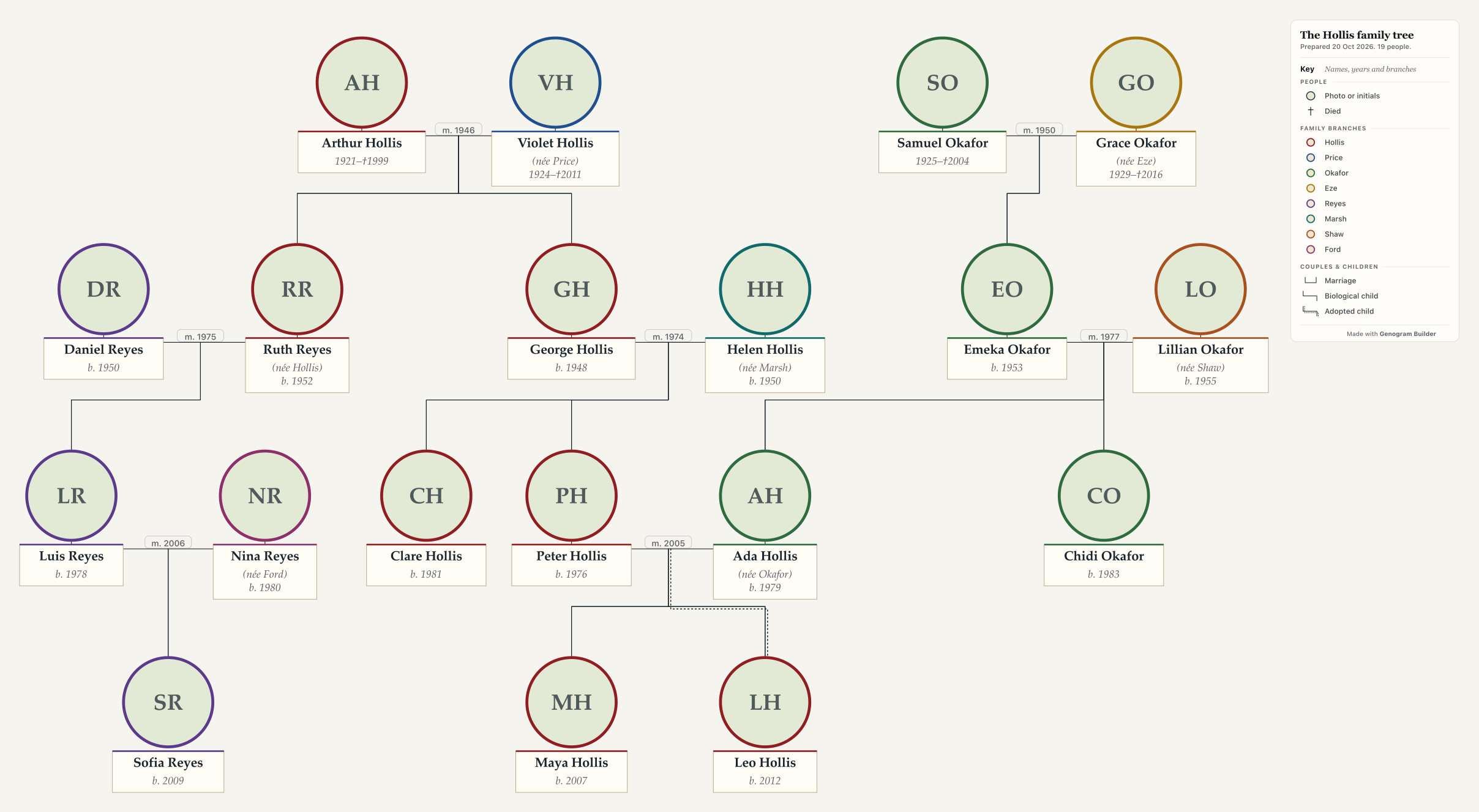
The free family tree maker on this page is a preview, and nothing in it is saved. Open in the editor carries the tree to the full editor, which keeps it in this browser.
How to make your own- people on the sample tree
- 19
- generations, in four rows
- 4
- family branches, each a ring colour
- 8
- people on one tree, free
- 50
What the free family tree maker gives you
- Without an account
- One family tree of up to 50 people, kept in this browser. A GEDCOM, Gramps or spreadsheet file can be imported into it.
- With a free account
- Two trees of up to 50 people each, saved to your account, with PNG and PDF files that carry a small Genogram Builder mark, a JSON copy and a GEDCOM file.
- Pro and Max
- PNG and PDF files without the mark, and SVG files that stay sharp at poster size.
How to make a family tree in six steps
The steps follow the Hollis family at the top of the page, and each names the control of the free family tree maker that does it.
Start from yourself
Open the free family tree maker and replace the first person with yourself, or change the names of the Hollis family.
Add parents, partners and children
Select a person and choose Add parents, Add a partner, Add a child or Add a sibling. Each new person is set in the right row, so every generation keeps its own line.
Write the dates and the names at birth
In the panel of each person, write the years of birth and death and a name at birth. A married name with née beneath it lets a reader follow a mother back to her own family.
Upload a photo for each person
In the Appearance part of the person panel, choose Upload or Paste under Photo, then Frame to centre the face in its round medallion. A person without a photo keeps their initials.
Mark the family branches
Under Family branch in the person panel, write the family name each person was born into. The ring round each medallion then takes the colour of that branch, and the key names every branch.
Print, export or keep a copy
Choose Print or PDF at any size for one sheet from A4 to A0, or for several A4, Letter or A3 pages to join into a poster. A GEDCOM file carries the tree to a genealogy program, and a JSON copy keeps every photo too.
What a family tree chart shows
The free family tree maker draws four kinds of chart. Set Chart for to Family tree in the Style panel, and any chart takes this look without losing a person or a line.
Medallion
Each person is a round photo or a set of initials over a name plate. A dagger is written before the year of a death.
Generation rows
Each generation has its own row, the oldest at the top and the eldest child on the left.
Couple line
A line joins two partners, with the year of the marriage on it. Their children hang from that line.
Adoption
A dashed line joins an adopted child to the parents, as it joins Leo to Peter and Ada.
Branch ring
The ring round a medallion is the colour of the family the person was born into, so the Okafors and the Hollises read apart.
No clinical marks
A family tree writes no illness or condition, even one recorded while the chart was a genogram.
Three views of one family
Select a person in the free family tree maker and open On the chart to draw part of the tree. The view lays the people out again and leaves the saved tree as it was. Fan and hourglass charts are not offered.
- The whole familyEveryone on the tree, with both sides of each marriage.Show it in the editor
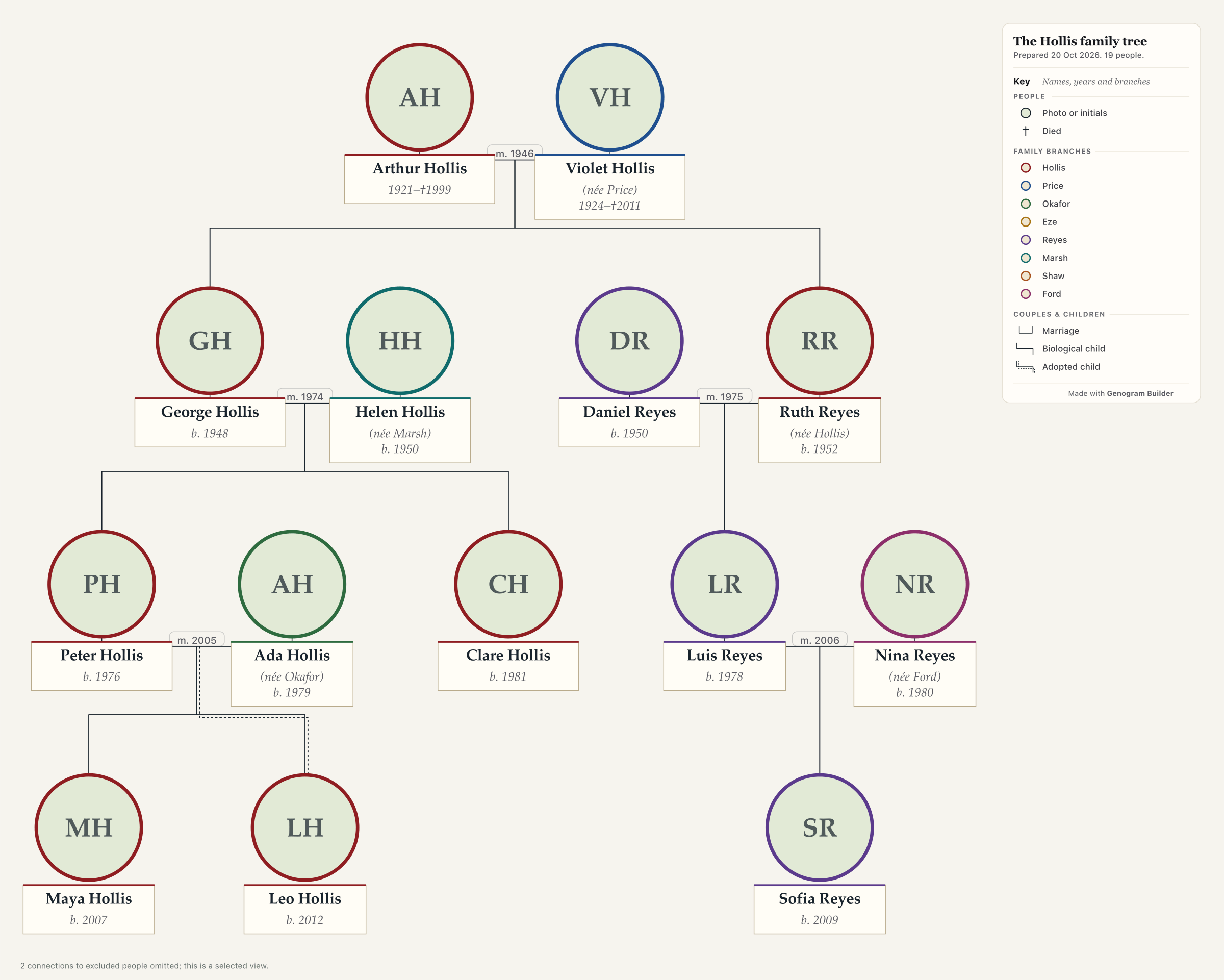 Only the descendantsA tree growing down from one couple, with the partners and children of each marriage.Show it in the editor
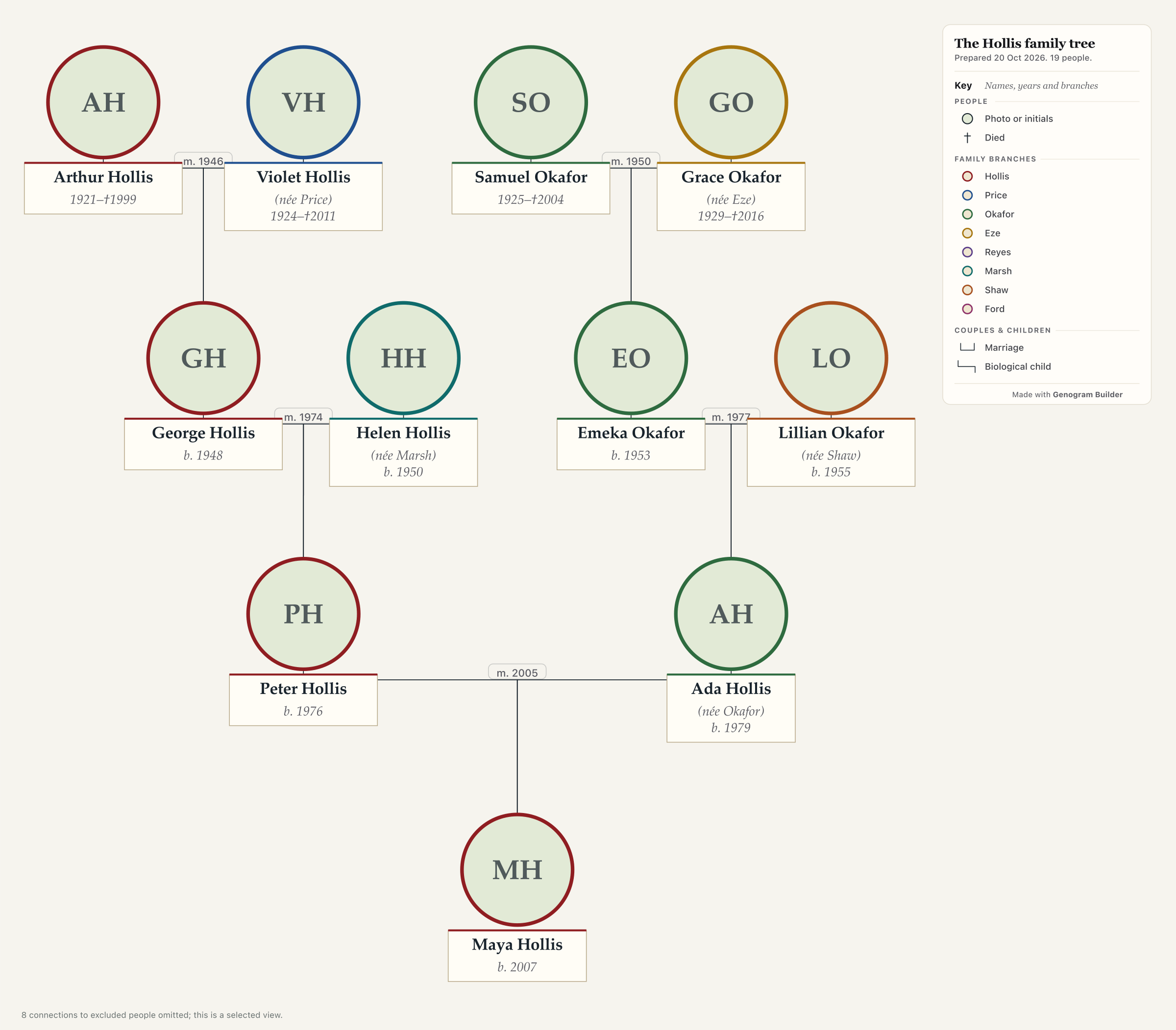 Only the ancestorsA pedigree chart, with one person at the foot and each couple of parents over their child.Show it in the editor
Family tree templates to print or fill in
Each sheet is an A4 landscape page with a PDF to print and a guide beside it. A sheet suits work on paper, and the free family tree maker suits a tree that will grow.
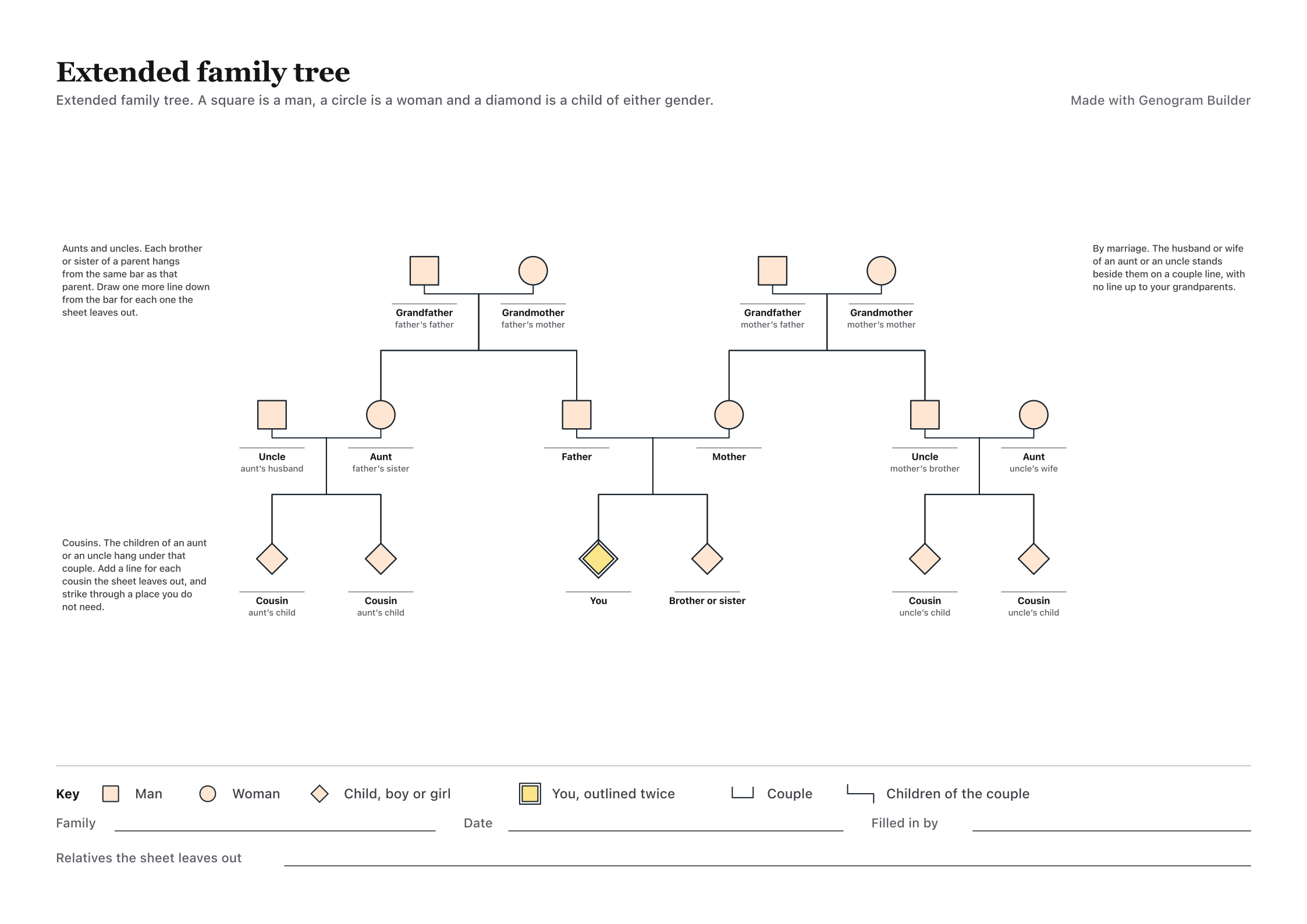 Extended family treeAunts, uncles and first cousins on both sides of one child, with a filled example.Print or edit
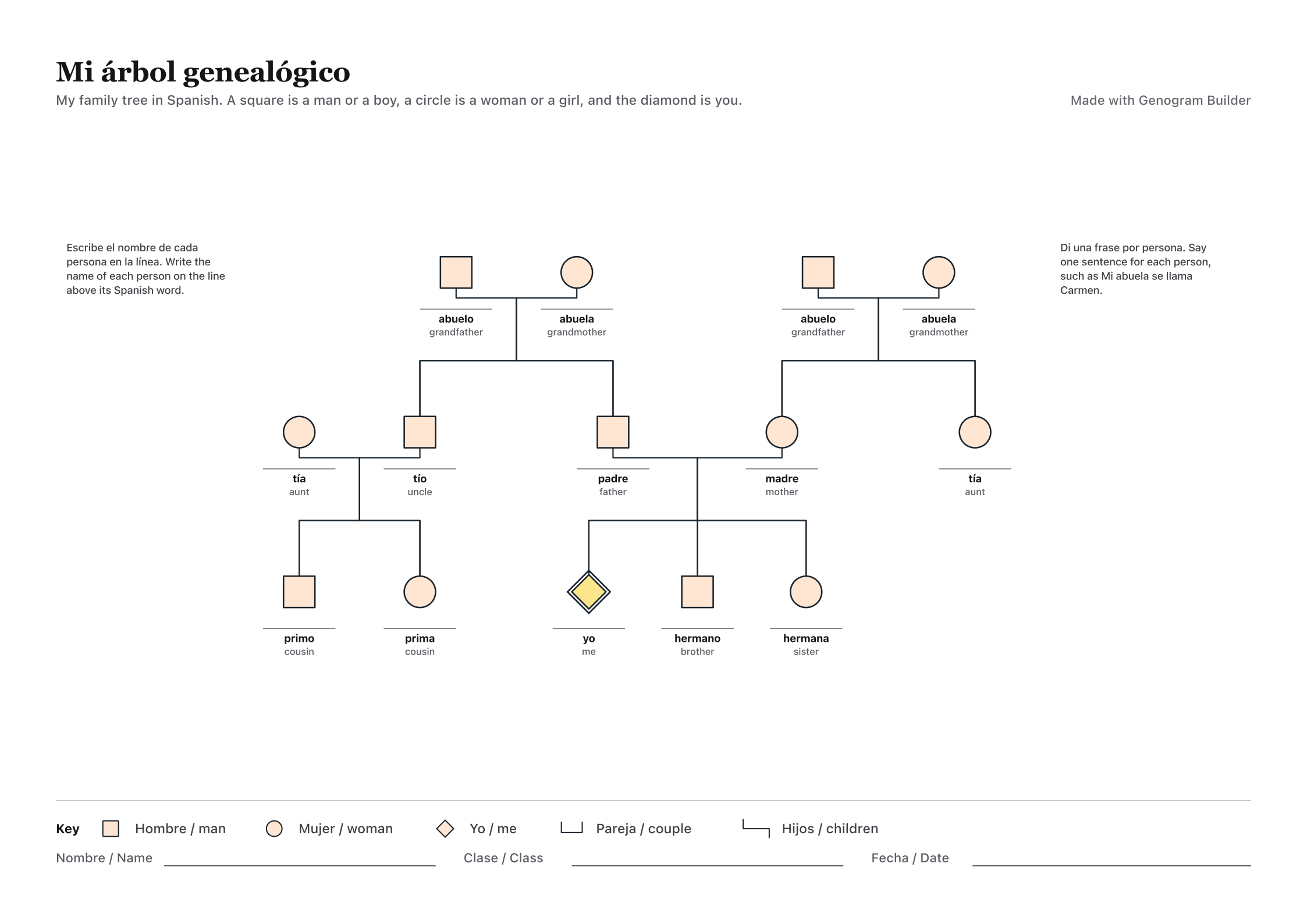 Family tree in SpanishThe Spanish and the English word at each of fourteen places, for a language class.Print or edit
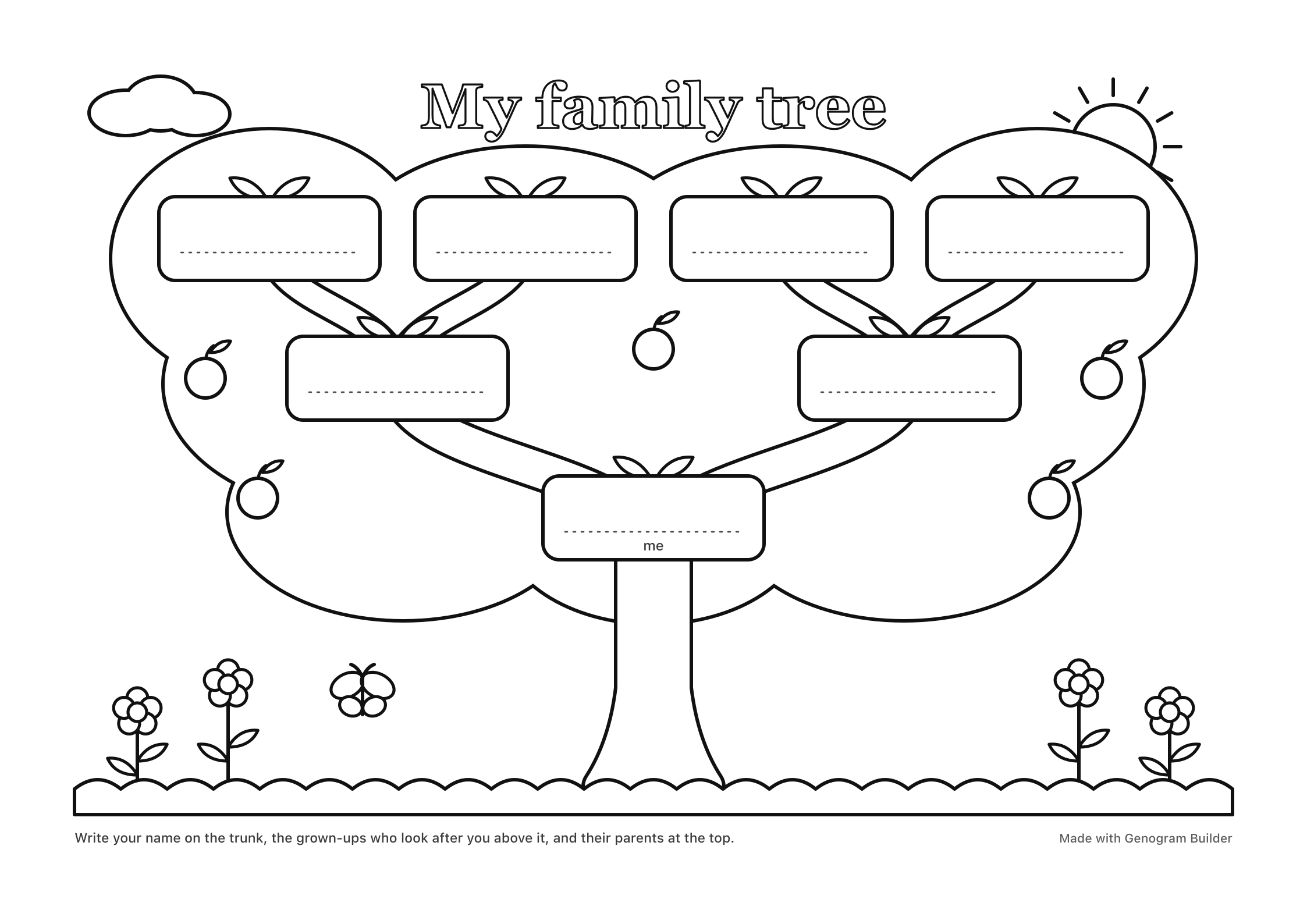 Family tree coloring pagesA tree in black outline with seven signs for names, and a larger one for brothers and sisters.Print or edit
Family tree guides for home and school
Each guide is drawn on an invented family, so a class can use it without asking a child about their own, and each chart opens in the free family tree maker.
Reading a tree
Projects and classes
- Family tree activity ideasProjects that keep private details out
- Preschool family tree craftA paper tree for young children
- Handprint family treeA paper activity with printable leaves
- Family tree ESL activitiesExercises with answers for English classes
- Spanish family treeThe family words of a Spanish 1 class
Tools
Books and keepsakes
Research and software
- Look up your family treeRelatives, records, census and DNA
- Family tree research costFree indexes to a genealogist
- Family tree softwarePrice, GEDCOM and syncing
- RootsMagic vs Family Tree MakerTwo desktop programs compared
- Read a family tree with AIExport, ask and check
- Names are missing on a pedigree chart in Family Tree MakerFixes
- How to remove an unknown spouse in Family Tree Maker without losing the childrenDetach Steps
- FamilyTreeNow opt outThe Form, DROP and What to Keep
- How to add siblings to an Ancestry family treeFull and Half
- How to delete a family tree on AncestrySave GEDCOM First
- How to print a family tree from AncestryViews and PDF
- How to share family tree on AncestryInvites and Roles
- How to see the family tree in The Sims 4 after the 2026 update2026 Update
- The Family Tree Norman Rockwell painted for the Post in 1959
Bringing a tree across from a genealogy site, and back
MyHeritage, FamilyEcho, RootsMagic and most genealogy programs write a tree as a GEDCOM file. In the free family tree maker, open Export and choose Import a family file, or drop the file on the canvas.
The import reads GEDCOM 5.5.1 and 7.0, Gramps, GenoPro and spreadsheets. It shows how many people and families it found, then offers the whole file or the family of one person, one to five generations above and below.
Export writes the tree back out as a GEDCOM 5.5.1 file with the names, dates, places, families and notes. It leaves out every health detail, which a genealogy file has no place for.
Where the tree is kept, and who sees it
Without an account the free family tree maker keeps the tree in this browser and nowhere else. With a free account it is saved to your account, and nobody sees it unless you publish it in Community.
The editor has no shared editing, so one person keeps the tree and sends the others a PDF or a JSON copy. Before you share a printed tree, consider leaving out the birth dates of living relatives.
A family tree, a genogram or a family history
Family tree
Your own family by generation, with photos, dates and branches, for a school project, an album or a reunion.
The free family tree makerGenogram
The clinical chart of therapy, social work and medicine, with illness and relationships.
The genogram builderFamily history
A dynasty or a historic family, with titles, reigns and the source of each fact.
Historical family treesStory
The families of novels, plays and films, followed act by act or season by season.
Fictional family trees
Questions about the free family tree maker
What the free family tree maker costs
Nothing to draw a tree, add photos or import a GEDCOM file, and no account is needed for those. A free account saves two trees of up to 50 people and exports PNG and PDF files with a small mark.
How many generations fit on one tree
As many as fit in 50 people, the size of one tree on a free plan. Four generations of one family, with both sets of grandparents and their brothers and sisters, often come to 20 to 40 people.
Printing a family tree as a poster
Print or PDF at any size draws one sheet from A4 to A0, or spreads the tree over several A4, Letter or A3 pages with an overlap and marks for joining them.
Photos on the tree
Each person in the free family tree maker can carry one photo, framed in a round medallion. A person without a photo shows their initials instead.
A family tree for a school project
Start from the child in the free family tree maker, add the parents and the grandparents, and stop at three generations unless the teacher asks for more. The family tree activity ideas guide keeps private details out of the work.
Moving a tree to and from a genealogy site
Download the tree from the site as a GEDCOM file and import it. The people, dates, marriages and children come across, and photos are added afterwards. Export writes a GEDCOM file to take the tree back.