The family tree opens from the Simology panel in Live Mode
To see the family tree in The Sims 4, start in Live Mode with the Sim whose family you want. EA’s post Introducing Genealogy of February 2015 says you can find the tree “in Live Mode by opening the Simology Panel (or hit the Y key)”. The genealogy button sits inside that panel.
The steps below follow EA’s two texts of 2015. The notes of 2026 describe a new tree but no new route into it, so the route of 2015 is the one to try, and the game itself is the final check of every label.
- Select the Sim
In Live Mode, select the Sim whose family you want to see. The tree is drawn around the selected Sim.
- Open the Simology panel
Open the Simology panel, or press the Y key on a keyboard, the shortcut EA gives for it.
- Open the genealogy
Select the genealogy button. EA’s update notes of 2015 call it “Show Sim’s Genealogy”, and its blog post of the same week calls it “Show House’s Genealogy”.
- Move around the tree
In a large family, click any empty space in the genealogy panel and drag to see more, as the notes of 2015 describe.
- Follow another relative
Click another Sim in the tree to focus on that Sim’s own genealogy.
Genogram Builder
Draw a Sims family on one page
After you see the family tree in The Sims 4, draw every generation of the save on one page, with pets, adoptions and second marriages.
- Add parents, partners, children, siblings and pets
- Adoptive and step-parent lines, divorce and widowhood
- PNG and PDF with a free account, with a watermark
EA’s two texts of 2015 name the button differently
The update notes of 3 February 2015, reproduced by Sims Community, say “Open up the Simology panel (or use the [Y] shortcut key) and click on the Show Sim’s Genealogy button.” EA’s own blog post says “Then, click Show House’s Genealogy.” Both describe the same tree.
No EA page, and no games press article we could open, names the button as the game shows it after February 2026. A Game Rant guide updated on 31 August 2025 places it “between the Sim’s stats and age information”. To view the family tree in The Sims 4 today, look for the button whose name ends in Genealogy, and trust the game where it differs from any guide, this one included.
The update of 3 February 2026 rebuilt the family tree
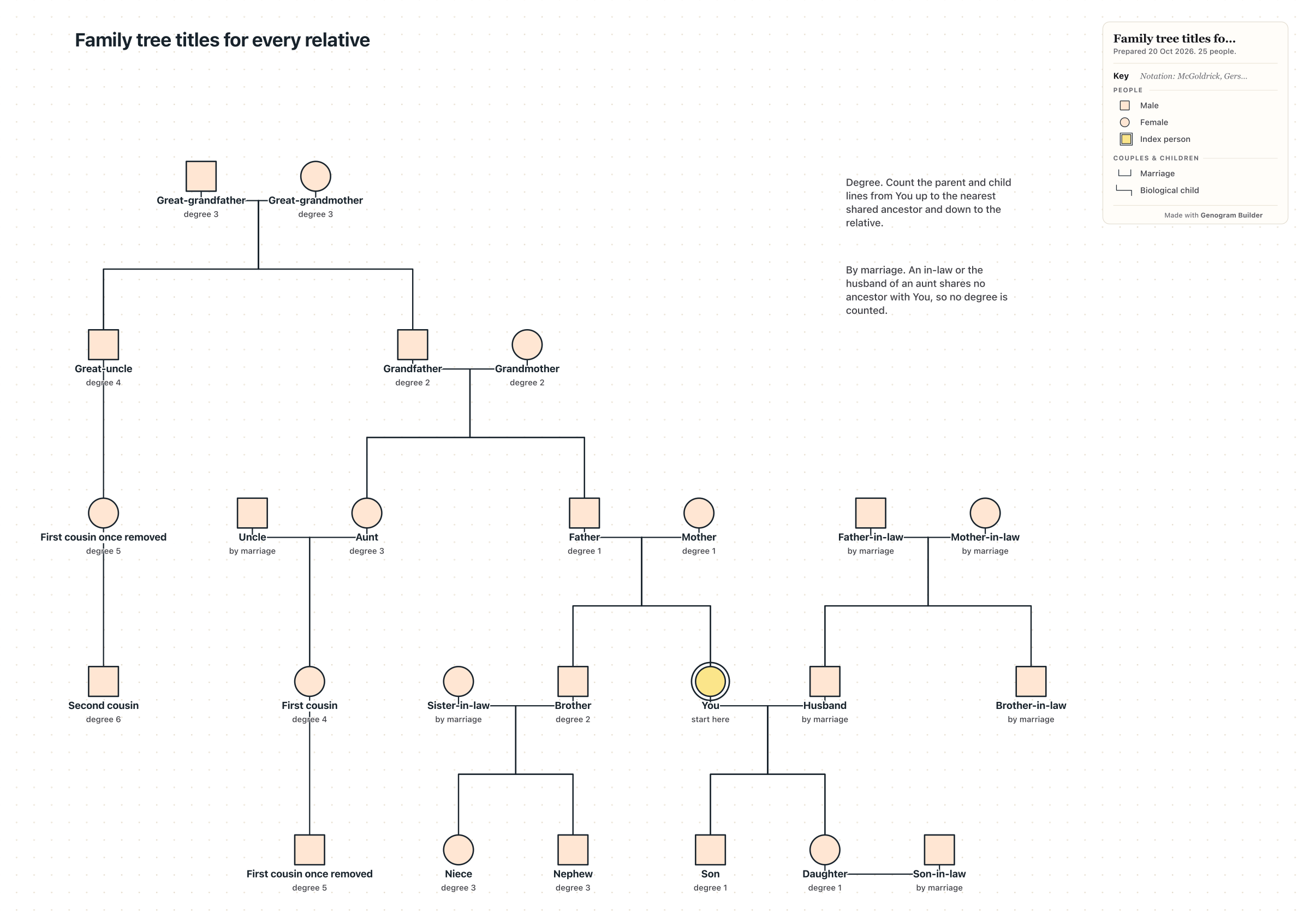
EA’s notes for the update of 3 February 2026 list PC version 1.121.342.1030, Mac version 1.121.342.1230 and console version 2.28. Under “Family Tree Updates” they say “Your Sims now have relationship labels for in-laws, half siblings, great grandparents, and more!” and that “Extended family members will also be shown in the family tree.” Players can also choose whether adopted Sims are labelled as adopted.
The notes rename two labels, Divorced to Ex-Spouse and Deceased Spouse to Late Spouse, and they stop close relatives from romance, which “prevents autonomous flirting between In-Laws or Step-relatives”. EA calls this a Base Game update, so you see the family tree in The Sims 4 with the new labels without owning any expansion.
| Kind of relative | New labels in the notes of 3 February 2026 |
|---|---|
| In-laws | Mother-in-Law, Father-in-Law, Sister-in-Law, Brother-in-Law, Daughter-in-Law, Son-in-Law, Relative-In-law |
| Half and step | Half-sister, Half-brother, Stepmother, Stepfather, Stepdaughter, Stepson |
| Great generations | Great-grandmother, Great-grandfather, Great-grandson, Great-granddaughter |
| Cousins and grand relatives | Parent’s Cousin, Cousin’s Child, Grandniece, Grandnephew, Grand-aunt, Grand-uncle |
| Distant | Distant Relative, Distant Relative-In-Law, Ancestor, Descendant |
| Renamed | Ex-Spouse for Divorced, Late Spouse for Deceased Spouse |
The new tree reaches ten generations and adds a legend
Sims Community published the answers of EA’s developers on the day of the update in a question and answer post. One developer wrote, “We have expanded it to show up to 10 generations of Sims - 5 above, and 5 below your currently selected Sim”. The notes of 2015 had given four above and five below.
When you see the family tree in The Sims 4 now, a “Show Legend” button explains the icons and the kinds of connecting line, such as “dotted line = secret baby, two rings = married”. The adopted label is a setting that a developer described as off by default, turned on “in gameplay settings”. We could not confirm the exact name of that setting.
A developer wrote that “Ghosts will appear on the family tree”, and that a Sim removed from a large save keeps a portrait and a name there “for posterity”. Hover over a relative of a spouse to read that relative’s title. The changes are retroactive, so you see the family tree in The Sims 4 with the new labels in an old save too.
Pets, friends and unmarried partners stay off the tree
Some Sims never appear when you view the family tree in The Sims 4, by design. Asked whether pets would show, a developer answered “no, pets and humans are separate”. Friends are left out, and a boyfriend or girlfriend joins the tree only after marriage. Step relationships disappear after a divorce between the Sims who connect the step-relatives.
The new titles cannot be set in Create a Sim. A developer answered “No, we didn’t add these to CAS”, and suggested that a player who wants a Sim with a cousin should create aunts or uncles who have children.
Later updates repaired missing lines and overlapping portraits
The notes of 12 February 2026 fixed newly adopted Sims who “failed to appear in the Family Tree after exceeding a certain number of children”, and a Sim who showed up in two generations at once. The notes of 19 February 2026, fixed missing connections, portraits that overlapped after a spouse’s death when there was a secret child, and a freeze “when clicking on a Sim from the Family Tree”.
The notes of 16 April fixed wrong connections and overlapping again, and the notes of 12 May 2026 fixed connections that “could be overlapping or missing”. If you see the family tree in The Sims 4 with a line missing, install the latest update before you rebuild any relationship by hand.
EA’s Quality of Life Roadmap 2026 plans more “strengthening genealogy systems” for September through December, which the notes up to 27 October 2026 do not yet describe.
Consoles get the same tree, without published controller steps
Each of the notes above gives a console version beside the PC and Mac versions, from 2.28 for the update of 3 February 2026 to 2.33 for the fixes of 12 May, so PlayStation and Xbox players see the family tree in The Sims 4 with the same labels.
We could not confirm how to see the family tree in The Sims 4 with a controller. EA’s Help article on The Sims 4 on console, read in an archived copy of 20 May 2026, does not mention the tree, and no source we opened names a controller button. This page gives no controller steps rather than guess them.
Royalty & Legacy adds a second way into the tree
Owners of the Royalty & Legacy expansion have a second route. Sims Community’s guide of 13 February 2026 describes the “Family Tree Tapestry” object, which offers “View Own Family Tree, Create a Dynasty, and Forge A Connection”. A developer explained that the pack also shows dynasty, noble rank and special connections in the tree. Without the pack, the Simology panel is the way to see the family tree in The Sims 4.
A Sims family drawn in the editor keeps the whole save on one page
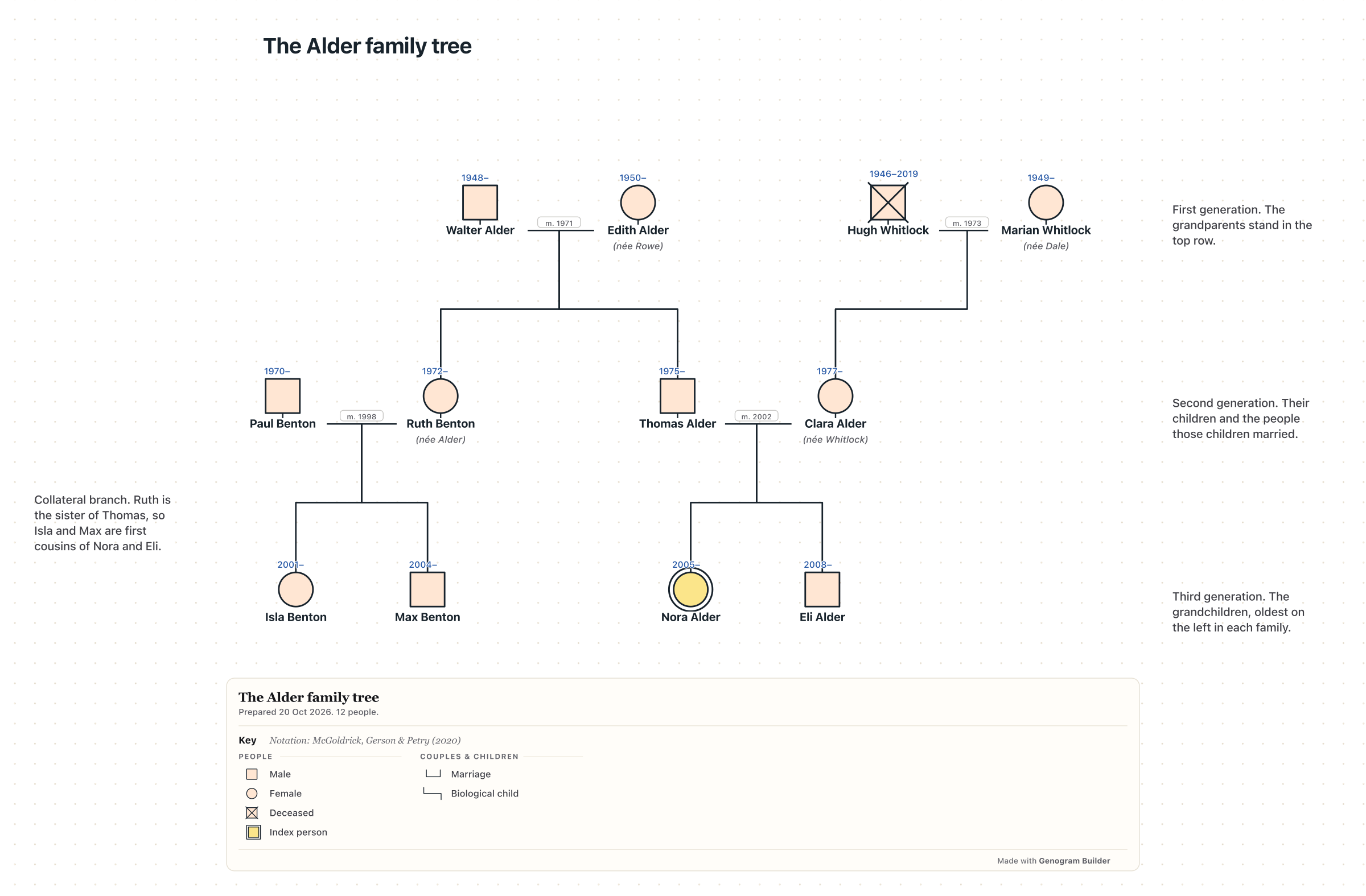
The game lets you see a Sim’s family tree in The Sims 4 around one Sim at a time, without pets or friends. To keep every generation of a save on one page, draw it in the free family tree maker. Select a person and choose Add parents, Add a partner, Add a child, Add a sibling or Add a pet, and each new person is set in the right row.
Set the Parent type of a line to Adoptive parent or Step-parent, and an adoptive line is drawn dashed. On a couple, add Divorced or Widowed to the timeline for the game’s Ex-Spouse and Late Spouse. Under Family branch, write the family each Sim was born into, and the ring round each person takes its colour.
A save that runs for many generations also reads well as a story chart. In the fantasy family tree maker, set Chart for to Story, list each generation under Story points and mark when each Sim joins. A secret child can wait behind Mark as not yet known until the generation in which the truth comes out. With a free account, export the chart as a PNG or a PDF.
Common questions
Whether you need an expansion to see the family tree in The Sims 4
No. Genealogy has been part of the base game since the update of February 2015, and EA’s notes call the family tree update of 3 February 2026 a Base Game update.
Why relatives are missing when you view the family tree in The Sims 4
Pets, friends and unmarried partners never appear. For a relative who should appear, install the latest update, since EA fixed missing and overlapping connections in February, April and May 2026.
Showing which Sims were adopted
The update of 3 February 2026 lets players choose whether adopted Sims are labelled. A developer said the setting is in the gameplay settings and is off by default, so turn it on before you view the family tree in The Sims 4.
Sources and methodology
We make Genogram Builder. We used the references below for this guide. Last checked on 11 November 2026.
- EA, The Sims 4 update notes of 3 February 2026
- EA, Royalty & Legacy launch day patch notes, 12 February 2026
- EA, Adjustments to Family Tree and a Freeze Fix, 19 February 2026
- EA, The Sims 4 update notes of 12 May 2026
- EA, The Sims 4 Quality of Life Roadmap 2026
- EA, Introducing Genealogy, February 2015, archived 17 October 2016
- Sims Community, the update notes of 3 February 2015
- Sims Community, The Sims 4 Family Tree Q&A, 3 February 2026
- Sims Community, Forge A Connection guide, 13 February 2026
- Game Rant, How to See Your Family Tree in The Sims 4
- EA Help, The Sims 4 on console, archived 20 May 2026
The game shows ten generations around one Sim. Draw the whole save on one page in the free editor and keep it as a PDF.
Draw your Sims family