Ancestry joins brothers and sisters through the parents they share
Ancestry does not link two siblings to each other directly. The Adding People to a Tree article says that siblings are connected through their shared parents, full siblings through two parents and half-siblings through one. It also states the rule that stops most people. To add siblings to your tree, you must have at least one shared parent in your tree.
When the name of that parent is not known, Ancestry tells you to enter Unknown as the name. That keeps a place for the parent and gives the sibling a line to hang from. The steps below are the website steps from the Siblings, Half-Siblings, and Stepsiblings article.
- Add a shared parent
Make sure at least one parent of the siblings is in the tree. Type Unknown as the name if you do not know it.
- Select the parent
Click the parent the two siblings share. For a full sibling, either parent will do.
- Add a child
In the card that opens, select “More options”, the three dots, then “+ Add relative”, then “Child”.
- Enter the details
Type the name, sex and the dates and places you know for the brother or sister.
- Choose the parents
In the “Parents” section at the bottom of the form, select the correct set of parents, then select “Save”.
Genogram Builder
Draw the brothers and sisters on a chart
The editor adds a sibling from the person with one click and draws half-siblings from the parent’s other partnership.
- Opens without an account
- Sibling button on every person
- Siblings sorted by year of birth
The Parents section decides between a full and a half sibling
The last step does the real work. When the shared parent has more than one partner in the tree, the “Parents” section lists each couple. Choose the couple with both parents for a full brother or sister. Choose the set with only the shared parent, or the shared parent and the other partner, for a half-sibling. The new person then appears under that couple in the tree.
The Adding People to a Tree article adds one more hint. If you want to add a sibling from the person’s own card and the option is not there, add at least one parent first. The route through the parent works in every case, which is why Ancestry’s sibling article uses it.
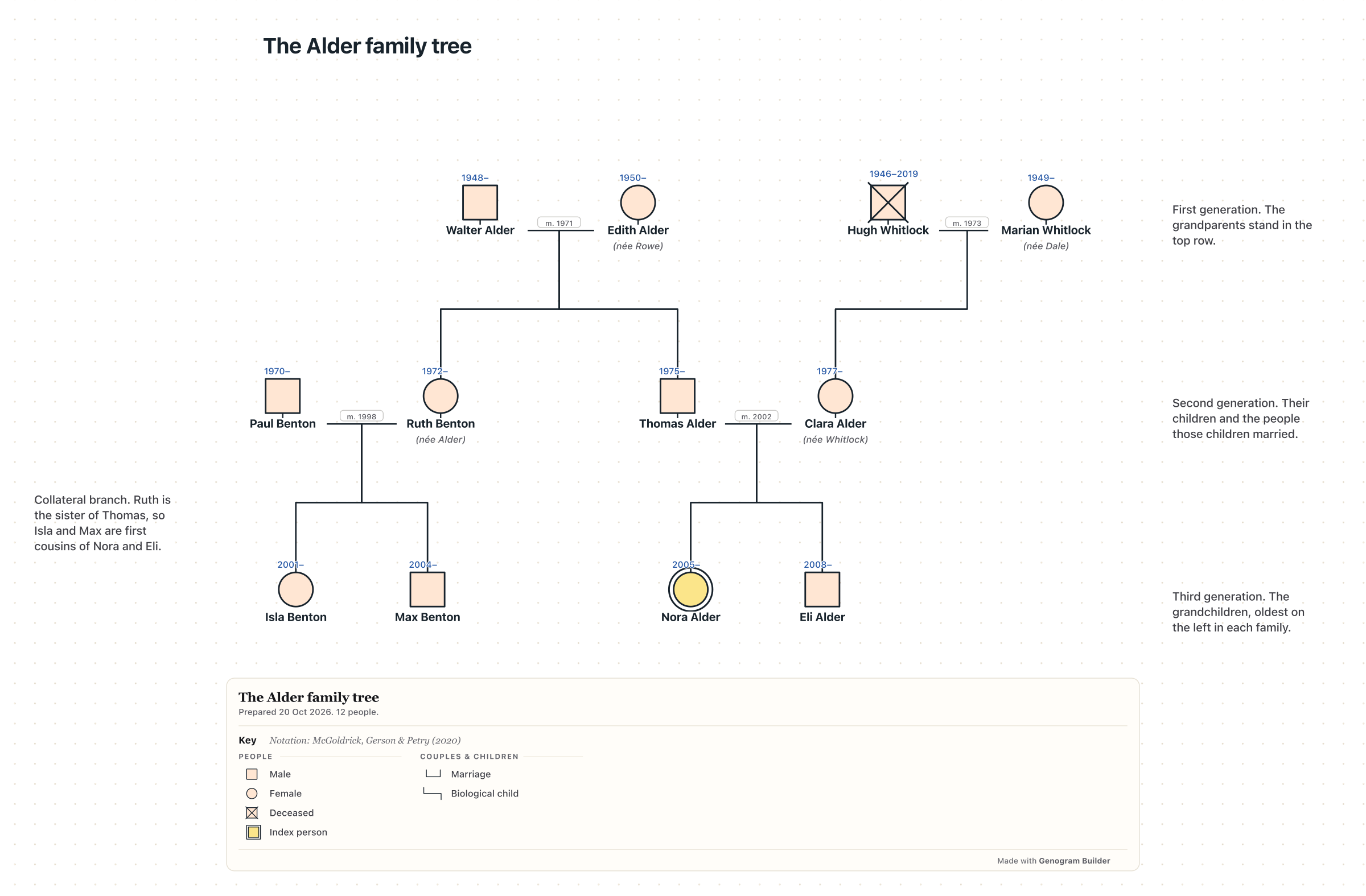
Take a fictional family as an example. Thomas Alder is in the tree with his parents, Walter and Edith. To add his sister Ruth, click Walter, select “More options”, “+ Add relative” and “Child”, type the details of Ruth and choose Walter and Edith in the “Parents” section. Ruth is then a full sister of Thomas. Suppose Walter also had a son, Frank, with an earlier wife whose name is lost. Add Frank as a child of Walter in the same way, and in the “Parents” section choose the set with Walter and the earlier wife, entered as Unknown. Frank becomes a half-brother of Thomas and Ruth, joined to them through Walter only.
| Relationship | Parents shared | How Ancestry records it |
|---|---|---|
| Full sibling | Both parents | A child of the same couple |
| Half-sibling | One parent | A child of the shared parent with a different partner, or with Unknown |
| Stepsibling | None | A child of the stepparent, who is the spouse of a parent |
A stepsibling enters through the spouse of a parent
Stepsiblings share no parent, so the route is longer. Ancestry’s sibling article starts by switching the tree to the vertical layout. In the toolbar on the left, select “View”, then “Vertical”. Click the parent who married the stepparent and select “More options”, then “+ Add relative”, then “Spouse”.
If the form shows the box “Include these individuals as children of this spouse”, untick it, so that the existing children do not become children of the stepparent. Enter the stepparent and select “Save”. Then click the stepparent, select “More options”, “+ Add relative” and “Child”, and in “Parents” choose the option with Unknown as the other parent. Select “Save”.
Edit Relationships turns a full sibling into a half sibling
A sibling added under the wrong couple is fixed on the profile page. Click the person, then “Profile”. Select “Edit”, then “Edit relationships”. To make a full sibling a half-sibling, select the X next to the parent they do not share, then “Remove”. To make a half-sibling a full sibling, select “+ Add mother” or “+ Add father” and choose the parent who is already in the tree, then “Save”.
The Fixing Relationships in Trees article gives a caution worth following. Connect the parent who is already in the tree, rather than creating a new person with the same name, so that the tree does not hold two copies of one parent. Removing a relationship does not delete the person.
Adding siblings to an Ancestry family tree in the app starts from the person
The app takes a different route. The Adding, Editing, and Deleting People in the Ancestry App article says to open a tree, tap a person and tap “Add Relative”. The choices are a parent, a spouse, a son, a daughter or a sibling, and each is relative to the person you tapped, not to you. Enter the details and tap “Next” or “Add”.
Ancestry’s app article does not say which parents the new sibling receives or whether a parent must exist first. Check the result in the tree after you save. To correct a link in the app, the app fixing article says to tap the person, then “View Profile”, then the “Family” section. On iPhone tap “Edit”, the X and “Delete Relationship Only”. On Android, press and hold the name and choose the option to remove the relationship.
| Step | Ancestry website | Ancestry app |
|---|---|---|
| Start from | The shared parent | The person who gets a sibling |
| Menu | “More options”, “+ Add relative”, “Child” | “Add Relative”, then sibling |
| Full or half | The “Parents” section of the form | Not described in Ancestry’s app help |
| Fix a link | “Profile”, “Edit”, “Edit relationships” | “View Profile”, then “Family” |
Preferred parents decide which brothers and sisters show in the tree
After you add siblings to an Ancestry family tree, a sibling can be correct in the data and still missing from the view. The Setting Preferred Spouses or Parents article explains that only one mother and one father are preferred for each person, and those are the parents the horizontal and fan views draw. To change them, open the profile, select “Edit”, “Edit Relationships” and “Make preferred” under the right parents.
Half-siblings from a second marriage show best in the vertical view. Select “More”, then “Tree viewing options”, and turn on “Always view all spouses”, so that each partner of the shared parent appears with their own children.
In the editor a sibling is one click from the person
Genogram Builder draws the same family on a chart, and adding a sibling is shorter there. Hover over the person, and a ring of buttons appears. Click Sibling, and the new brother or sister appears beside the person under the same parents, with the side panel open for the name. Type the year in Born, and Arrange can sort the siblings from oldest to youngest.
A half-sibling is drawn through the shared parent, as on Ancestry. Add the other partner to the shared parent with Partner, then add a Child to the new couple, and the child hangs from the second couple line. When no parents are drawn yet, the editor joins the two siblings with a dashed line instead of inventing parents. Add a sibling or half-sibling shows each step, and an Ancestry tree exported as GEDCOM opens in the editor through Import a family file.
Common questions
Adding a sibling when the parents are not known
On Ancestry, add a parent with Unknown as the name, then add the sibling as a child of that parent. The editor draws a dashed line between siblings whose parents are not drawn.
Adding twins
Add each twin as a child of the same couple and give both the same birth date. In the editor, Show twins draws their two child lines meeting at one point.
Who can add siblings to your Ancestry family tree once it is shared
The owner can, and so can a person invited as an Editor. A Guest or a Contributor cannot add people.
Sources and methodology
We make Genogram Builder. We used the references below for this guide. Last checked on 11 November 2026.
- Ancestry help, Adding People to a Tree
- Ancestry help, Siblings, Half-Siblings, and Stepsiblings in Family Trees
- Ancestry help, Fixing Relationships in Trees
- Ancestry help, Adding, Editing, and Deleting People in the Ancestry App
- Ancestry help, Fixing Tree Relationships in the Ancestry App
- Ancestry help, Setting Preferred Spouses or Parents
Draw the brothers, sisters and half-siblings of your family on a chart, with no account needed to begin.