A genogram app for iPad runs in Safari or comes from the App Store
The clearest way to compare a genogram app for iPad is by its route. A browser editor opens from a link and keeps the chart in Safari or in an account, while an App Store app installs on the iPad and keeps its files there.
| App | Route on the iPad | Input it describes | Price | Export |
|---|---|---|---|---|
| Genogram Builder | Safari, with nothing installed | Two-finger pan, pinch to zoom, press and hold to move, and keyboard shortcuts | Free plan, with Pro at $12 a month | PNG, PDF and JSON with a free account, and SVG on Pro |
| GenogramAI | Safari, and it can be added to the Home Screen | Apple Pencil for tapping, selecting and navigating | Free for two genograms, Professional at $12 a month | PNG on every plan, and PDF, SVG and GEDCOM on paid plans |
| iGenogram | App Store, iPad only, iPadOS 13 or later | Drag and drop gestures, or a tap-based workflow | $14.99 once | PDF genograms and reports, and the editable document |
| Genogram Creator | App Store, iPhone, iPad and Mac, iPadOS 17 or later | Pinch to zoom, two-finger pan, one-finger drag to pan and lasso select | Free up to ten people, Standard at $49.99 a year, Unlimited at $99.99 a year | PNG and PDF free, and SVG, GEDCOM and JSON paid |
| GenogramApp Family Trees | App Store, iPhone, iPad and Mac, iPadOS 18.6 or later | Relatives added from a selected person | Free up to ten people, Pro from $3.99 a month or $59.99 once | PDF and PNG, with backups on Pro |
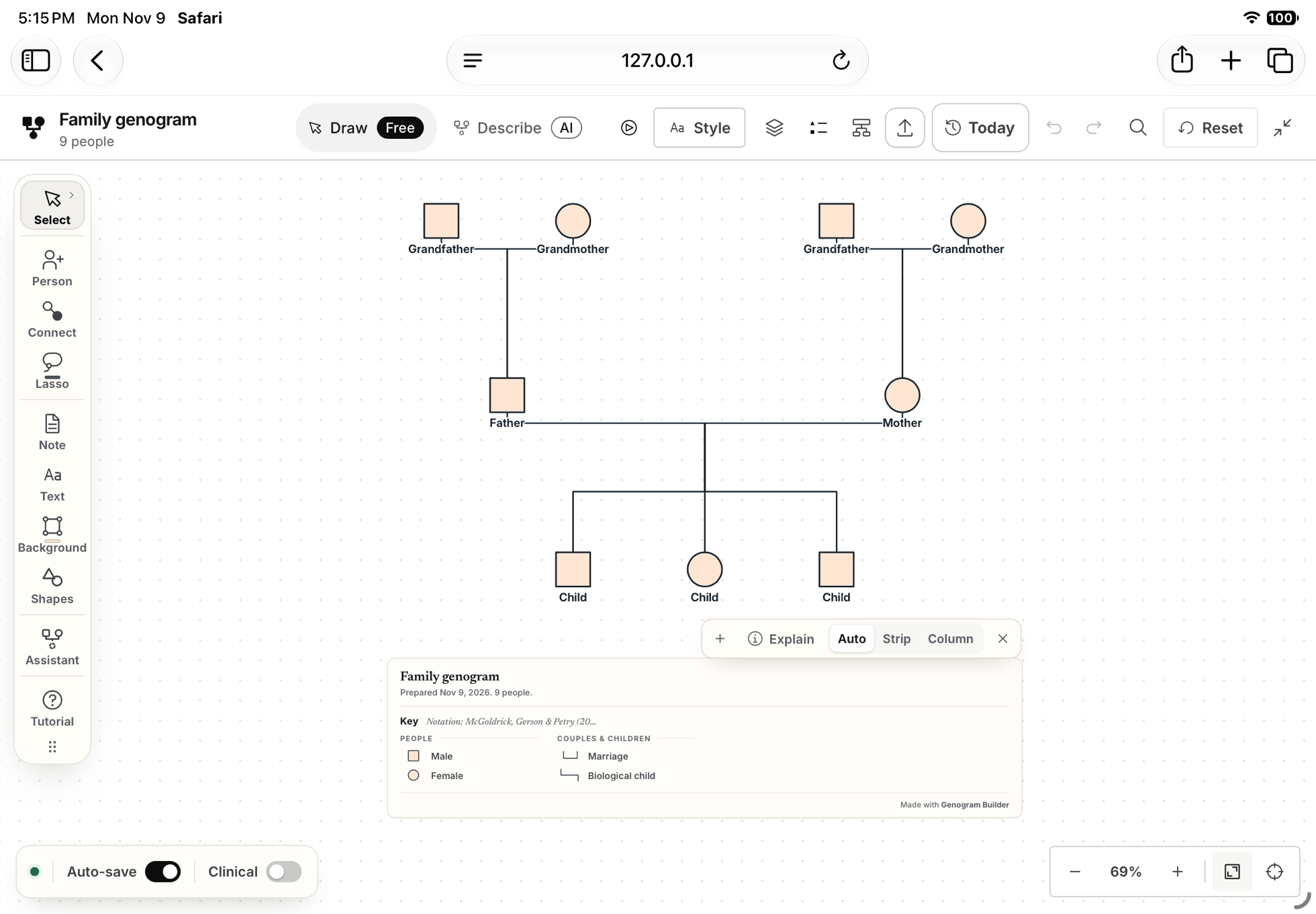
Genogram Builder
Draw the genogram in Safari on the iPad
Genogram Builder runs in Safari with nothing to install, and with the same tools, symbols and key as on a computer.
- Opens in Safari without an account
- Pinch to zoom and press and hold to move a person
- PNG and PDF with a free account, watermarked
One three generation chart was drawn in iPad Safari to test each step
We tested Genogram Builder in Safari on the iPad Air 11-inch simulator, with iPadOS 27.2, through native touch in Apple’s XCUITest framework. The simulator cannot install App Store apps, so the other apps here were not tested. On the home page one finger scrolls the page, and in full screen, opened in landscape, one finger moves the chart.
| Step | What we did | What happened |
|---|---|---|
| Open | Opened the template and chose Continue in the full editor | The nine people opened in the editor on the home page |
| Pan | Dragged one finger, then two, across empty canvas | One finger scrolled the page, two fingers moved the chart |
| Zoom | Pinched outwards | The zoom rose from 78 to 221 percent |
| Move | Pressed and held a grandmother, then dragged her | She moved along her row |
| Connect | Chose Connect, tapped two grandparents from different families and chose Partners | A partner line joined them |
| Save | Reloaded the page | The chart came back with “Your edits were restored” |
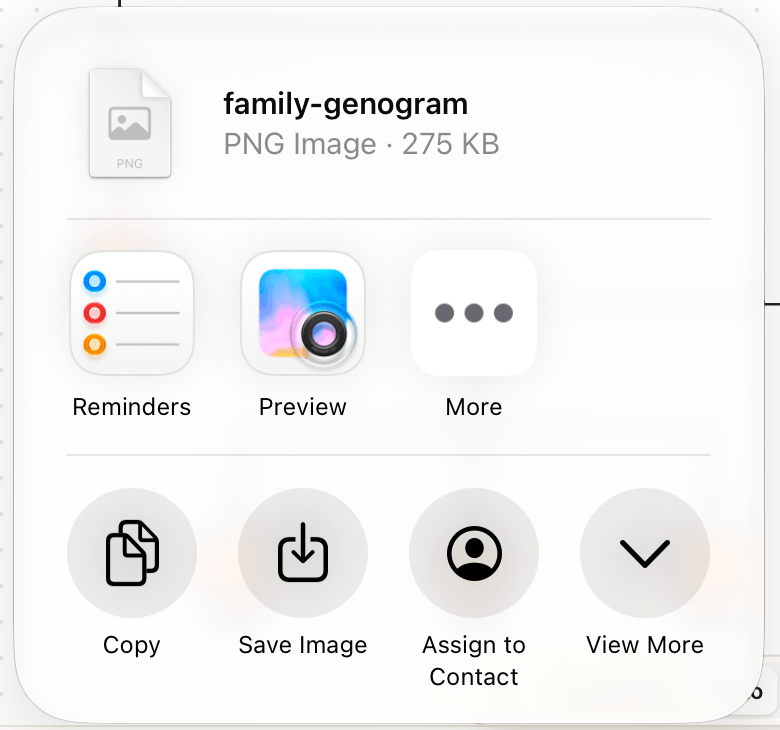
| Export | Chose PNG, PDF and JSON with a free account | Each opened the share sheet, at 275 KB, 9 KB and 13 KB |
Touch, a keyboard and the Apple Pencil each need checking
On a tablet the editor keeps its full layout, and only the gestures differ from a mouse. A connected keyboard works as on a computer, which we checked in WebKit with an iPad profile and in Chromium. GenogramAI says that the Pencil works for tapping, selecting and navigating, and none of the three App Store listings mentions the Pencil or keyboard shortcuts.
| Input | In Genogram Builder on an iPad | How it was checked |
|---|---|---|
| One finger | Scrolls the page, and moves the chart in full screen | Tested in the iPad simulator |
| Two fingers | Move the chart, and pinch to zoom | Tested in the iPad simulator |
| Press and hold | Lets you drag a person, and lifting without moving opens a menu | The drag was tested, and the menu comes from the documentation |
| Keyboard | The C key chooses Connect and the arrow keys move a selected person | Tested in WebKit with an iPad profile and in Chromium |
| Apple Pencil | Not tested | The simulator does not reproduce a Pencil |
Safari keeps the chart until you save it to an account
Without an account, Genogram Builder keeps one genogram of up to 50 people in Safari, and Auto-save writes each change there. A private window discards it when it closes. A free account keeps two genograms in the account as well, so the chart opens on a computer.
With the network off, an open chart kept editing and saving, and a JSON project still downloaded. The page could not be reloaded, and PNG and PDF exports stopped with an error, because they check the account’s plan with the server first.
| App | Where the chart is kept | Without a connection |
|---|---|---|
| Genogram Builder | In Safari, and in your account when you choose Save to account | An open chart keeps editing and saving, and the page will not reload |
| iGenogram | On the iPad, until you export or send it | The listing says genograms stay on the iPad by default |
| Genogram Creator | In the Files app, or in your own iCloud Drive | The listing says it works offline, with no account |
| GenogramApp Family Trees | On the device, with no cloud backup | The listing says it works offline, with no account |
Exports from an iPad go through the share sheet
On an iPad, Genogram Builder hands each export to the share sheet, where a computer would download the file. The free plan adds a faint watermark to PNG and PDF files, and Pro removes it and adds SVG. iGenogram can also copy its chart into word processors on the iPad.
Open the blank three generation chart in Safari and choose Continue in the full editor.
Tap Export in the top bar and choose PNG image, Print or PDF at any size, or JSON project. Without an account, the editor asks you to create a free one first.
Choose Save Image, Copy or another app in the share sheet. The sheet names the file and gives its size.
Choose by where the chart has to go after the iPad
A chart for a class usually ends up as a PDF on a computer, which suits a browser editor whose account opens on the computer too. The guide to making a genogram covers the drawing, and the guide for a Mac covers the computer. A chart that must stay on one iPad suits an App Store app that keeps its files on the device. Genogram Builder is not a clinical record system, so use fictional or de-identified details.
Common questions
Whether Genogram Builder has an iPad app
No. It runs in Safari on the iPad, and a chart saved to a free account opens on a computer as well.
Moving a chart from an App Store app
Genogram Creator exports GEDCOM on its paid plans, and Genogram Builder opens it with Import a family file in the Export menu. GEDCOM carries people, dates and families, so add emotional lines again.
Sources and methodology
We make Genogram Builder. We used the references below for this guide. Last checked on 9 November 2026.
Open the blank three generation template in Safari and type the names in. No account is needed to begin.
Start drawing on your iPad